

EZTECH mascotEZTECH/ai-systems-llpTalk to us
EZDash logo icon
EZDash / managed BI + AI command centre

Live dashboards your team can actually run from.

EZDash turns business data into role-based dashboards with AI agents that explain what changed and what to do next.

Live dashboard foundationRole-gated accessAI analysis workflows
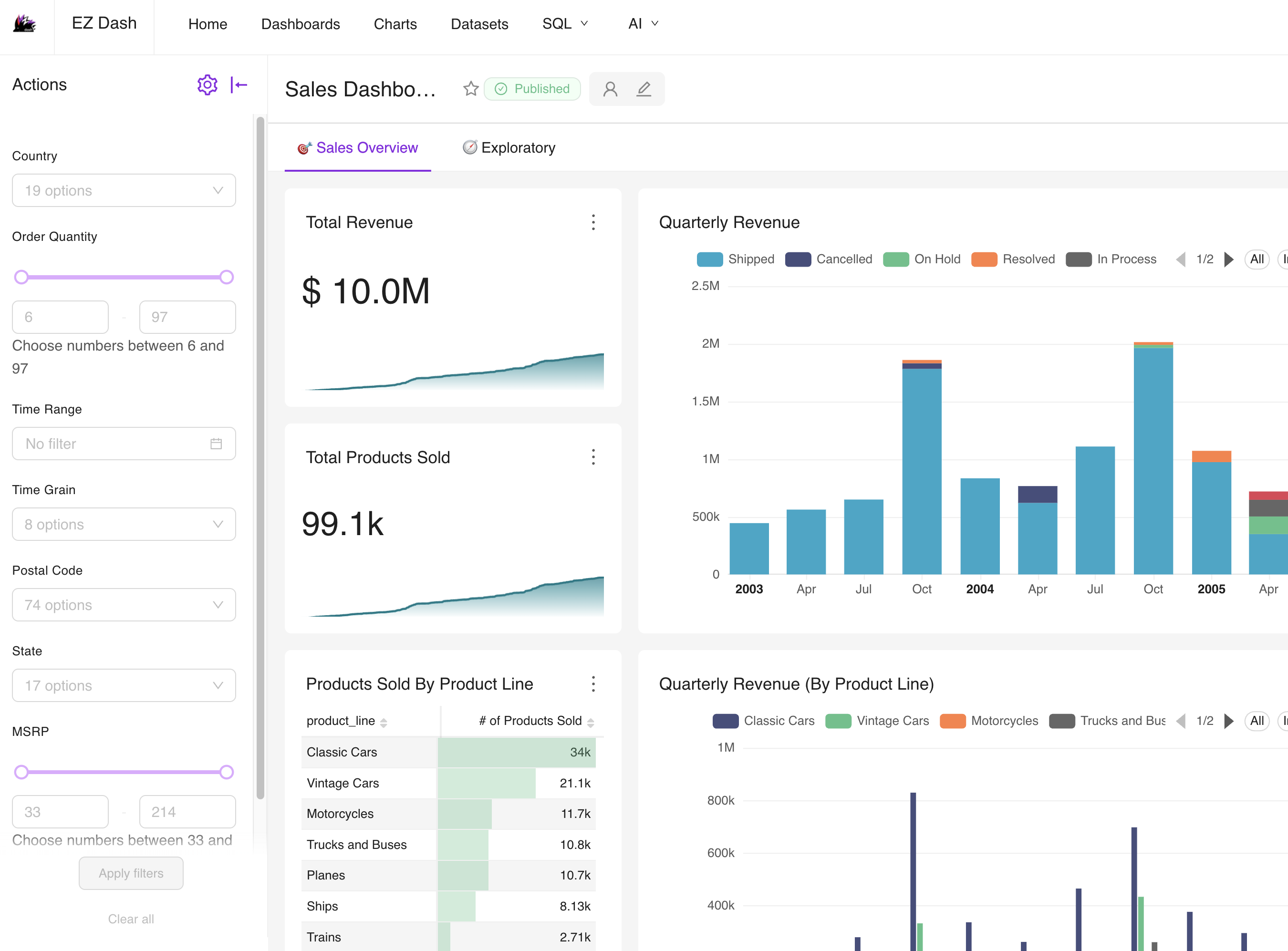
EZDash dashboard interface / managed layer
EZDash light-mode sales dashboard screenshot

Customized EZDash screenshot: light dashboard in the main hero frame. The AI report appears below in the AI Command Centre section.

01 / BI foundation

Business dashboards, ready to use

Charts, filters, and access controls shaped around your team’s operating rhythm.

02 / Role clarity

Each team sees only what matters

Owners, managers, finance, sales, and ops open focused dashboards instead of report folders.

03 / AI layer

Agents read the dashboards

Worker agents inspect attached dashboards; manager agents roll up the signal.

AI command centre

Dashboards become decisions.

Attach worker agents to dashboards, then let manager agents combine their findings into a business-ready brief.
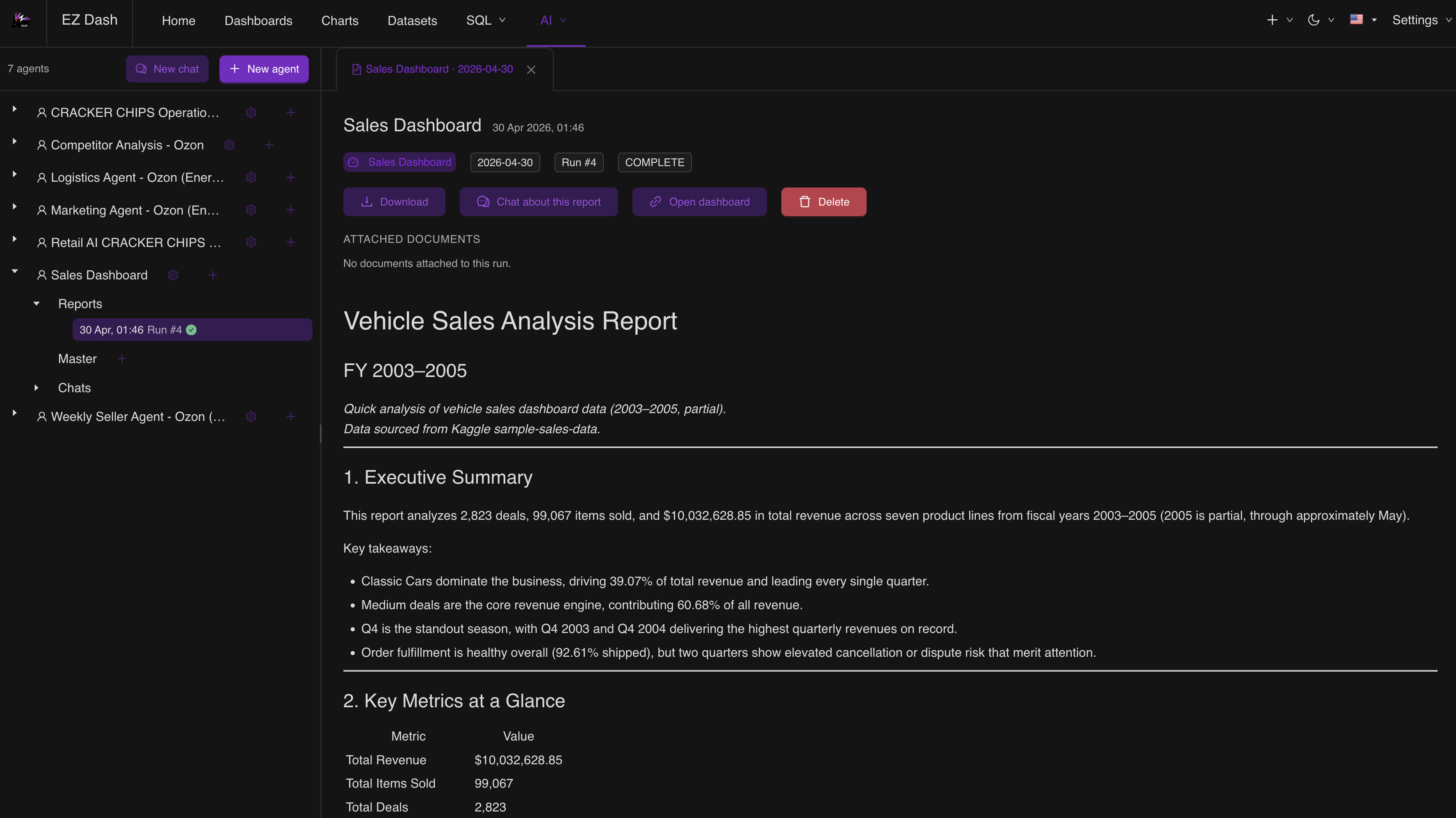
EZDash AI Command Centre report screenshot in dark mode
Dashboard attached
Worker agents run
Manager-ready report
Start where reports hurt

Start with one dashboard. Expand by team.

Pick the first bottleneck, connect the data, then roll out dashboards where managers already need answers.

Sales pulseCashflow watchInventory alertsOps exceptionsMarketing ROIFranchise scorecardsSupplier varianceCX tickets
Fast first pass

Show us the reports you rebuild every week.

We will turn the highest-value reporting loop into a live dashboard plus AI brief workflow.